

CPYSRC2IFS – Copy Source to IFS (Integrated File System)
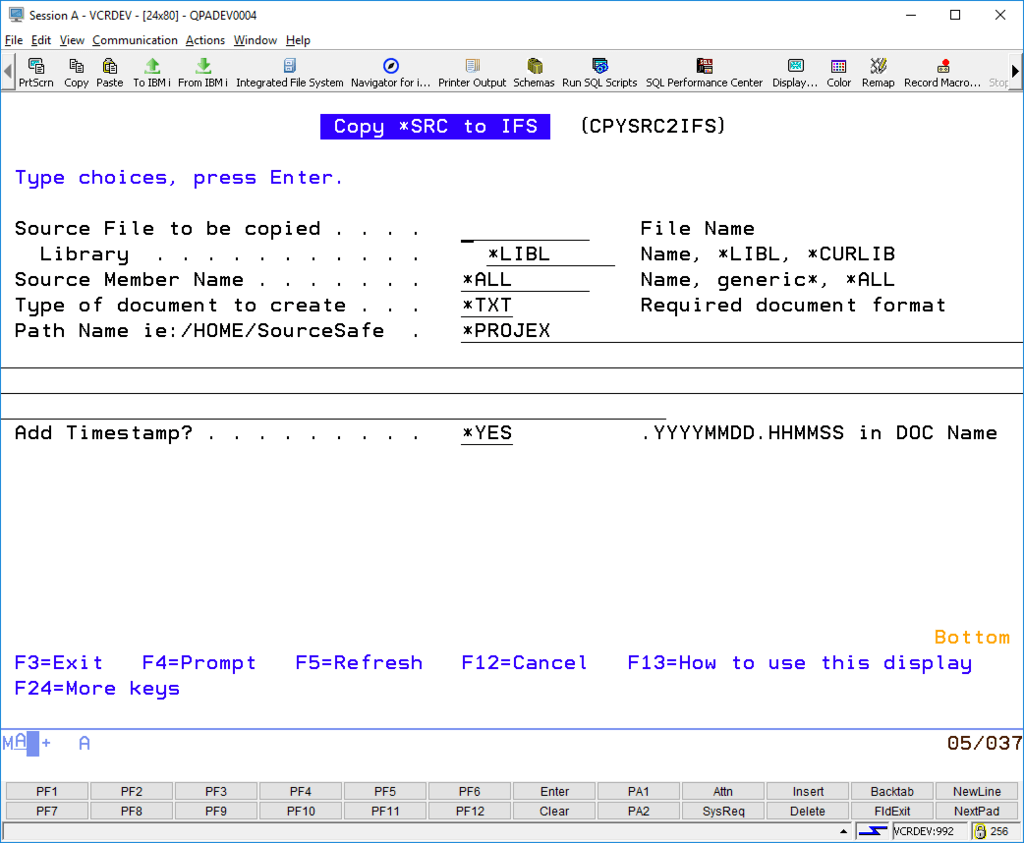
The CPYSRC2IFS command allows you to quickly grab a copy of a specific source member, or a generic range of members, and copy them to an IFS location:

The default IFS file type is TXT
Default IFS storage locations are:
- *HOME = /home
- *PROJEX = /projex
- *PUBLIC = /public
Backup Source Code – take a snapshot of source code at anytime
Using CPYSRC2IFS is very easy to use for quick source code backups. For example to take a backup of an RPG source member called “rpgpgm”, appending the date/timestamp to the IFS file name you could enter a command like:
CPYSRC2IFS FILE(library/qrpglesrc) MBR(rpgpgm) DOCTYPE(*TXT) IFSDIR(*HOME) TIMESTAMP(*YES)
Or you could easily add this to a PDM option like this:
